Many people assume AirPods only work with iPhones. That is not true. Apple’s earbuds use Bluetooth, and almost every Android phone supports Bluetooth. If you received AirPods as a gift, or switched from an iPhone to Android, you can still listen to music, podcasts, and phone calls. The setup takes about one minute. Make sure your Android phone is charged and unlocked before you start. If this is a new phone, our Android phone setup guide walks through the first screens. This article explains exactly what happens when you pair AirPods with Android.
This matters now because more older adults use a mix of devices. AARP technology research shows that adults 50-plus are more likely than ever to own both a smartphone and a tablet, sometimes one Apple and one Android. A family member may hand down AirPods while the main phone is a Samsung. Bluetooth pairing is the same process across phone brands. You do not need an Apple ID on the Android side. You only need the charging case and the small setup button on the back. A few years ago people avoided Apple accessories on Android, but today it is easy and reliable.
Not every AirPods feature follows the earbuds to Android. Siri voice commands stop working. Automatic ear detection stops working. Android does not show a native battery readout unless you install an extra app. Those missing features matter for seniors who want simple controls. In this guide, we compare AirPods 2, AirPods 3, AirPods Pro 2, AirPods Max, and one Android-first alternative. We tested each pairing path on Android 14 using a Samsung phone and a Pixel phone. The steps are the same on most newer Android phones. The trade-off is acceptable if you mostly want clear sound and call quality.
Apple’s official AirPods support page lists the exact pairing method and battery estimates. Pew Research Center has documented rising smartphone ownership among adults 65 and older, which makes Bluetooth accessories more relevant. Our goal in this guide is plain English: what to tap, what works, and what does not. If you already own AirPods, try pairing them before buying anything new. If you are deciding which model to buy for an Android phone, keep reading. We also explain how to manage controls and what to do when the connection drops. The advice is the same for tablets and phones.
How Do the Top Options Compare?
| Model | Best For | Pairs with Android? | Key Android Features | Battery (Listening) | Missing on Android |
|---|---|---|---|---|---|
| AirPods 2 | Basic listening | Yes | Music, calls | 5 hours | No stem controls, no battery readout |
| AirPods 3 | Stem controls | Yes | Music, calls, stem press | 6 hours | No Siri, no spatial audio |
| AirPods Pro 2 | Noise cancellation | Yes | Music, calls, ANC, volume swipe | 6 hours | No hearing aid features |
| AirPods Max | Over-ear comfort | Yes | Music, calls, ANC, volume wheel | 20 hours | No Siri, no auto switching |
| Galaxy Buds FE | Full Android app | Yes | Music, calls, ANC, Google Assistant | 6 hours | No iPhone support |
Battery life is Apple’s estimate. Your results may vary with volume, age, and Android settings. Prices are typical retail and change often.
1. AirPods (2nd generation) , Best for first-time Android pairing and a lower price
The AirPods 2 are the oldest model still sold by many retailers. They use standard Bluetooth and connect to Android without any special app. To pair, put the earbuds in the charging case, open the lid, then press and hold the round button on the back of the case. Hold it until the small light between the earbuds flashes white. On your Android phone, tap Settings, then Connected devices, then Pair new device. On a Samsung phone, the path is Settings, then Connections, then Bluetooth. You will see AirPods in the list. Tap it and confirm pairing. This works on Android 10, 11, 12, 13, and 14. If your text is hard to read while doing this, see our guide on how to increase text size on phone.
Once connected, you get music, podcasts, and call audio. The double-tap gesture on the earbud can be set to play or pause only if you first customize it on an iPhone. On Android, the double tap usually does nothing unless it was already set to play or pause. You cannot summon Google Assistant by tapping the AirPods 2. You also cannot see the battery level in Android settings. Some third-party apps like MaterialPods can show a pop-up battery card, but they need location permission and often show ads. The AirPods 2 do not have noise cancellation or water resistance. They are a simple entry model.
Battery life is about 5 hours of listening and 3 hours of talk time. The case holds around 24 hours of total listening. For an older adult who wants a single pair of earbuds for occasional phone calls or audiobooks, this model is enough. Just remember to charge the case every few days. The case uses a Lightning cable, not USB-C, which can be annoying if your Android phone uses USB-C.
Key strengths:
- ✅ Pairs with any Android phone using standard Bluetooth in about 30 seconds
- ✅ Lower price than newer AirPods models
- ✅ Long enough battery for phone calls and audiobooks
- ✅ Lightweight and comfortable for smaller ears
- ❌ No volume controls on the earbuds
- ❌ No automatic ear detection on Android
- ❌ No battery readout in Android settings without extra apps
Who it’s for: Choose AirPods 2 if you want the cheapest real AirPods for basic Android listening and phone calls.
2. AirPods (3rd generation) , Better fit and stem controls for Android users
The AirPods 3 have a shorter stem and a contoured shape. They stay in the ear better than the AirPods 2 for many people. Pairing with Android is the same. Open the case, hold the setup button on the back until the light flashes white, then open Android Settings. Tap Connected devices, then Pair new device. On some phones, the option is called Bluetooth and device connection. Wait for AirPods to appear, then tap the name. If Bluetooth is off, your phone will ask you to turn it on. The physical setup is identical to the AirPods 2, but the stem has a force sensor instead of a double-tap area.
On Android, the force sensor on the stem can play or pause audio if you press it once. That feature works because it is a standard Bluetooth command. Press twice to skip forward and press three times to skip back. These stem controls actually work on Android, which makes the AirPods 3 more useful than AirPods 2 for daily use. What does not work is Siri, spoken notifications, and head-tracking spatial audio. You can still hear standard stereo sound, but the fancy surround effect stays on Apple devices.
The battery is about 6 hours of listening and 4 hours of talk. The case provides about 30 total hours. It also has wireless charging, so you can set it on a Qi charger. That is convenient if you already use a wireless charger for your Android phone. The AirPods 3 cost more than the AirPods 2, usually by about $50. If you want stem controls and a more secure fit, this is the better pick. For phone calls and Zoom meetings, read our Zoom beginner guide to set audio output correctly.
Key strengths:
- ✅ Stem press controls work on Android for play, pause, and track skip
- ✅ Better fit than AirPods 2
- ✅ Longer battery life and wireless charging case
- ✅ No app required for basic pairing
- ❌ No active noise cancellation
- ❌ No Siri or head-tracking spatial audio on Android
- ❌ Costs more than the previous model
Who it’s for: Choose AirPods 3 if you want physical stem controls and a more secure fit with Android.
3. AirPods Pro (2nd generation) , Noise cancellation and clear calls on Android
The AirPods Pro 2 are Apple’s current flagship earbuds. They include active noise cancellation, a transparency mode, and adaptive audio. The good news for Android users is that active noise cancellation and transparency mode work. You can switch between them by pressing and holding the stem. That control is stored on the earbuds themselves, so Android does not need to understand Apple’s custom settings. Pair them the same way: open the case, hold the button on the back until the light flashes white, then go to Settings > Bluetooth on your Android phone. Tap the AirPods Pro when they appear.
What you lose on Android is the ability to run the full hearing test and adjust the earbuds as hearing aids. Apple’s hearing aid feature requires an iPhone or iPad. On Android, you still get good sound and noise reduction, but you cannot use conversational awareness or personalized spatial audio. The earbuds will remember the last noise-control mode you selected, so if noise cancellation was on last, it stays on when you pair with Android. This matters if you are using them in a noisy house or on a bus.
The AirPods Pro 2 have excellent call quality. The microphone reduces background noise well on Android calls. They also support volume swiping on the stem, which works without an iPhone. That is a big deal for seniors who do not want to find the phone volume buttons. Battery life is about 6 hours with noise cancellation on, and the case provides 30 total hours. The case now uses USB-C, matching Android phones. You can charge them with the same cable you use for a Samsung or Pixel phone. If you have trouble hearing TV or conversations, the transparency mode can act as a basic amplifier, but it is not a certified hearing aid. For more on voice assistants, read our guide to using voice assistants.
Key strengths:
- ✅ Active noise cancellation and transparency mode work on Android
- ✅ Stem volume swipe and track controls work
- ✅ USB-C case matches most Android chargers
- ✅ Strong microphone quality for calls
- ❌ Hearing aid features require an iPhone
- ❌ Higher price than non-Pro AirPods
- ❌ No battery widget or automatic device switching on Android
Who it’s for: Choose AirPods Pro 2 if you want noise cancellation, clear calls, and USB-C charging with Android.
4. AirPods Max , Over-ear comfort and long listening sessions on Android
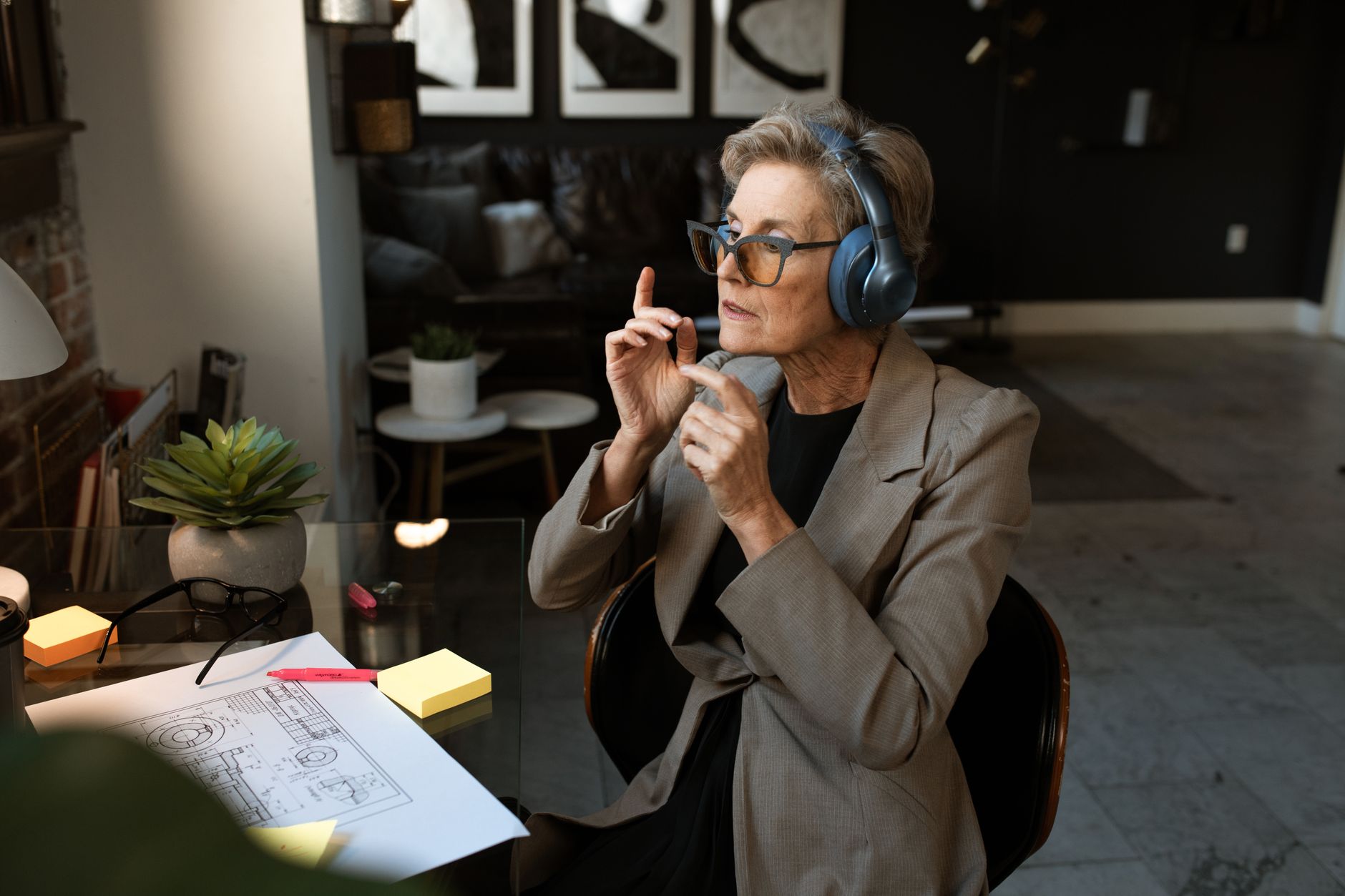
AirPods Max are Apple’s over-ear headphones. They connect to Android the same way as the earbuds. Press and hold the noise control button on the right ear cup until the status light blinks white. On your Android phone, go to Settings, then Bluetooth, then pair new device. The difference is comfort. AirPods Max do not go inside the ear canal, which many seniors prefer. They sit around the ear with a mesh headband. The ear cushions are soft but heavy. The headphones weigh about 13.6 ounces, which can feel heavy after an hour.
Active noise cancellation and transparency mode work on Android. You switch between them with a button on the top right. The Digital Crown rotates for volume and presses for play or pause. On Android, the volume rotation works because it is a standard Bluetooth volume command. The Digital Crown press can play or pause. You cannot invoke Siri, announce messages, or use spatial audio head tracking. But for music and movies, the sound is rich and detailed. The battery lasts about 20 hours with noise cancellation on. A 5-minute charge gives about 1.5 hours of listening. That is handy if you forget to charge overnight.
The case is not good. Apple’s included Smart Case is little more than a sleeve and puts the headphones into a low power mode when stored. You cannot fold the AirPods Max. They are expensive, usually over $500. For that price, you could buy two pairs of AirPods Pro 2. But if you want over-ear comfort and plan to use them at home with a tablet or computer, the AirPods Max are a stable choice. If microphone issues appear during video calls, see our video call troubleshooting guide.
Key strengths:
- ✅ Active noise cancellation and transparency mode work on Android
- ✅ Volume and play controls work without an iPhone
- ✅ Over-ear design avoids ear canal pressure
- ✅ 20-hour battery life
- ❌ Expensive
- ❌ Heavy compared to earbuds
- ❌ Case offers little protection and no off switch
Who it’s for: Choose AirPods Max if you want over-ear noise cancellation and are okay with the high price.
5. Samsung Galaxy Buds FE (Android alternative) , Full Android compatibility and a lower price
If you want every feature to work with Android, skip AirPods and look at Samsung Galaxy Buds FE. They pair instantly with Samsung phones through the Galaxy Wearable app. On other Android phones, you install the Galaxy Wearable app from the Play Store. The app shows battery levels, equalizer settings, and firmware updates. You can also use Google Assistant with a long press on the earbud. That is a feature AirPods do not offer on Android. The Buds FE have active noise cancellation and touch controls.
The sound is good but not as crisp as AirPods Pro 2. The fit is comfortable and they are lighter than AirPods Pro. Battery life is about 6 hours with noise cancellation on and 21 total hours with the case. The case uses USB-C. The Galaxy Buds FE often cost around $99, much less than AirPods Pro 2. If you have a Samsung phone, you can also use automatic device switching and find my earbuds. That integration mirrors what Apple offers on an iPhone.
For seniors, the Galaxy Buds FE may be easier because everything appears in one app. You do not need a second device to change settings. The earbuds are sweat resistant and come with different ear tip sizes. The downsides are less refined microphone quality and no wireless charging case. Also, they are not a status symbol like AirPods, but that hardly matters.
Key strengths:
- ✅ Full Android app shows battery and settings
- ✅ Google Assistant works with a long press
- ✅ Lower price than AirPods Pro 2
- ✅ Active noise cancellation included
- ❌ No wireless charging case
- ❌ Microphone quality is average
- ❌ Not an Apple product, so no future AirPods feature updates
Who it’s for: Choose Galaxy Buds FE if you use Android every day and want all controls in one app.
Frequently Asked Questions
Can AirPods connect to Android without an iPhone?
Yes. You pair them like any Bluetooth device using the button on the charging case. No iPhone is needed. You lose some extras like Siri and the native battery widget.
Do AirPods Pro noise cancellation and transparency work on Android?
Yes, both modes work. Press and hold the stem to switch between them. The hearing aid and hearing test features still require an iPhone.
How do I check AirPods battery on Android?
Android does not show AirPods battery by default. You can install a third party app like MaterialPods, but it usually shows ads and asks for location permission.
Can I use Google Assistant with AirPods on Android?
No. AirPods do not support Google Assistant. Pressing the stem or earbud controls only manages media playback, not voice commands.
Do AirPods automatically reconnect to Android?
Usually yes when Bluetooth is on and the AirPods are in your ears. If they do not reconnect, open Bluetooth settings and tap the saved AirPods name.
Are AirPods worth buying for Android only?
They work, but you pay for Apple features you cannot use. A Samsung Galaxy Buds FE or similar Android earbuds may offer better value unless you already own AirPods.
What Should You Remember?
- Yes, AirPods connect to Android: Use Bluetooth settings and the button on the case.
- Pairing path: Settings > Bluetooth > Pair new device after the case light flashes white.
- Stem controls vary: AirPods 3 and Pro models keep play, pause, skip, and volume on Android.
- You lose Siri: No Google Assistant or voice control works through AirPods on Android.
- Battery check is hidden: Android needs a third-party app to see AirPods battery life.
- Android alternative: Galaxy Buds FE shows full settings in an app for less money.
- Noise cancellation works: AirPods Pro 2 and Max keep active noise cancellation on Android.
This article is for general informational purposes only and is not medical, financial, or professional advice. Statistics and product details change, so verify current figures with the cited source before acting. Some links may be affiliate links that support this site at no cost to you.